Teaching with the iPad: Adding a New Dimension to the Museum Experience

Back in 2011, I attended a fantastic session led by Kris Wetterlund and Sheila McGuire at the National Art Education Association conference about how the Minneapolis Institute of Arts was using iPads with their docents — and how they were training the docents to use this newly adopted technology.  I remember sitting in the audience thinking: “A. I will probably never own an iPad myself,” and “B. Our docents will probably never use iPads.”  It turns out I was wrong on both accounts — I got my own iPad 2 within a couple months of attending that session (I think Apple still owes Kris and Sheila their commission), and we now have about half a dozen docents using an iPad on their tours at the Saint Louis Art Museum — a number that I hope grows in the next year.

So what’s the big deal with the iPad?  Does it really add anything to a tour that we couldn’t already do without this device?

A study from the Pew Research Center released earlier this year indicated that 19% of adults in the United States own a tablet computer, and that statistic is rising significantly (probably much higher by the time I write this).  I also read somewhere that Apple has sold approximately 200-220 million iPads worldwide since the product’s first release in 2010.  So I thought it was about time that I more fully utilized this device in my own teaching practice, and then lead a workshop for our docents on the ways in which the iPad (and tablet/mobile technology in general) can add a new dimension to the museum experience for our visitors.

I personally began using my iPad on tours a little less than a year ago.  My first experience was with a group of 2nd grade students from an city public school, and we were scheduled to visit the African art galleries.  It had always been a bit of a challenge to make those galleries come alive, since they were small, dimly lit spaces with the objects up high in big plexiglass cases.  Was there something I could load onto my iPad that would enrich the experience?  I found a video of an African buffalo mask (similar to the one in our collection) being performed in a ceremony in Burkina Faso, so I downloaded that to my device just as I was heading from my office to greet the group.  As I led them into the African gallery with the “Buffalo Mask,” I was nervous that something would go wrong and my iPad experiment would crash and burn.  I popped out the mobile device, clicked play on the video, and quickly noticed that every student in the entire group was silent and paying very close attention to the video.
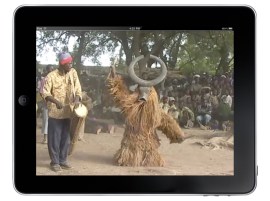
I had intended on only playing about 20 seconds, but we actually stayed and watched about 3-4 minutes (not recommended, but it worked with this group).  While the video of the African dance ceremony played, I invited the students to discuss everything they noticed in the video: the movements of the dance, the sounds of the drums, and the community gathered in the background. Then our discussion turned back to the “Buffalo Mask” before us in the gallery — a really great exploration that had the students looking more closely and connecting in a more meaningful way.  Their level of interest had skyrocketed.  Was this just because I brought this short video clip into the galleries with me?  Was it this simple to deepen the level of understanding and engagement on my tours?  I remember leaving this tour with a lot of excitement about using the iPad in the galleries, but questions about whether the focus was truly on the objects … or was the focus too much on the technology?

Research and Best Practices

Back when I attended Kris and Sheila’s NAEA session last year, there were not a lot of resources to guide the use of iPads on tours.  I remember contacting Kris after the session, and she sent me some thoughtful tips based on her own experiences with docents.  Since then, though, she, Sheila, and their colleagues have written some useful “best practices” based in their research on using iPads in the galleries.  Here are links to the most useful:

  1. “iPads on Tour,” written by Kris Wetterlund and Sheila McGuire for the Museum-Ed Blog.  Nice short overview of key things to keep in mind when enabling docents and educators to use multimedia on the iPad to enhance their tours.  Their best tip (and a “Golden Rule” for me) is Organize Your Stuff.  I have used FileApp Pro, which they recommended, and it seems to serve my needs for bringing video and images together into an easy-to-access folder.  This means I’m not fumbling around to find the content while I’m in the middle of my tour.
  2. “Enhancing Group Tours with the iPad: A Case Study,” authored by Ann Isaacson, Sheila McGuire, Kris Wetterlund, and Scott Sayre, now a chapter in the American Association of Museums 2011 book entitled Mobile Apps for Museums.  This more in-depth article discusses a study that the Minneapolis Institute of the Arts conducted on their docents’ use of iPads and visitor response.  They found that “all of the museum visitors were engaged during the iPad portion of the tour” and that “all thought it added to their understanding of the works of art.”  A good tip that you can pull from this article is that, like any gallery prop, the iPad or mobile device should be used judiciously to avoid making it the focal point of the tour.
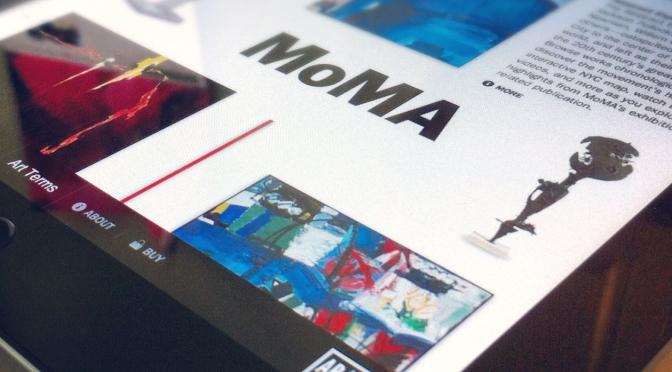
Other than bringing the iPad on tour or using it as an educator, the device has wide-ranging applications for museum education, learning, and audience engagement (that I’m not going to discuss in detail here).  I would even go as far as to say that each day a museum somewhere probably launches a new iPad app or is offering a program that utilizes the iPad and other tablet devices.  It has truly become the new bandwagon (for good reason, I think).  If you’re interested in some of the uses of iPads through museum apps, Hyperallergic reviewed “3 iPad apps that recreate the museum experience … almost” back in December, and Scott Billings wrote a great piece for MuseumNext a couple years ago about “what can the iPad do for museums?”

Bringing the iPad into the Galleries: A Sample Tour

So why all this thinking about iPads and touring?  Well, I decided it might be good to have a conversation with our docents about the benefits of bringing a iPad with you into the galleries.  Therefore, last week I offered an open workshop for any interested docents — about 15 attended, and about 10 were interested but unable to attend.  My workshop demonstrated a handful of ways that the iPad can enrich the museum experience, focusing mainly on ways in which additional content and context can be introduced to gain a deeper understanding of the objects themselves (again, the focus should always be on the art and objects, not on the technology).

On our workshop tour, we discussed using the iPad in three galleries of the Saint Louis Art Museum’s collection: African art, Impressionism (mainly Degas’s sculpture), and contemporary art.  I am going to quickly review the use of the iPad in these three areas, and link to some of the multimedia content we viewed in the galleries.
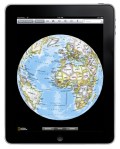
African Art: For our time in the African galleries, I demonstrated two uses of the iPad.  First, I showed how a tour guide could use a map application like National Geographic’s World Atlas to show students the location of Africa on the globe, and then zoom into the regions and countries that might relate to the objects on the tour.  I have had a lot of success with this map app on my tours, and I find it more effective than paper maps or color print-outs.  In addition to the map, I showed the video I mentioned above of the Buffalo Mask dance, which we all agreed would enrich and deepen visitors experience with the mask on view (not just school children, but adults too).  After exploring the map and video, I discussed how important it is to keep your multimedia content to a minimum — in other words, do not have 3 videos to show along with a map for one stop on your tour.  I recommend that docents choose approximately 3-4 multimedia items (photos, maps, videos, etc.) for their entire tour, and spread them out across the tour.  Remember, you don’t want the iPad to become the focus of the tour.

Impressionism/Degas: We moved up to the Impressionism and Post-Impressionism galleries, and I spent some time with the sculptures by Edgar Degas that our museum has on view.  First, I quickly showed a video of Eadweard Muybridge’s ‘Horse in Motion’ images from 1878 along with our Degas Galloping Horse of a slightly later date. The museum label even refers to this experiment in capturing motion, and it was powerful to see these images and the Degas side-by-side.  Then we moved to Degas’s Little Dancer of Fourteen Years to compare our bronze version (cast after the artist’s death) with hi-res detail images of the original wax and mixed media sculpture that Degas created himself (now in the collection of the National Gallery of Art in Washington). This sparked an interesting discussion of the appearance of our bronze, the surface textures, and the fabric, and I think we all left wanting to explore our Degas further.

Contemporary Art: Finally, we discussed the various types of content one could bring into the contemporary art galleries. I focused primarily on artistic process, or artists in their studios.  This is something I know visitors enjoy seeing, and I feel it deepens our understanding of the artworks and the artists themselves. I brought in two examples. First, I showed a video of Toots Zynsky, a contemporary glass artist, working in her studio to create, heat, and mold one of her well-known glass forms.  We’ve had curators discuss her process before, but the video really helped the piece come alive in a new way.  And finally, I ended the workshop with a video clip of Gerhard Richter painting with one of his squeegees — a process that visitors are always confused by.  Seeing Richter carefully pull paint across his huge canvases certainly helped me gain a better understanding of these massive paintings.

For me, this was a good place to start with our docents, and it was my goal to keep it simple.  I know that iPads and mobile devices allow for many more types of experiences, including augmented reality (see excellent paper from Cherry Thian from 2012 Museums & the Web) or using real-time video applications (FaceTime, Skype, etc.) to bring artists, curators, or community members into the galleries for Q&A and dialogue.  But for the human-centered experience that is the guided tour, these simple uses of the iPad can truly add a powerful dimension to the learning experience.

What is your best use of the iPad on a tour or teaching experience?  Are there ways we can push the best uses of mobile technology into tour experiences?

Crowdsourcing in the Art Museum

“Crowdsourcing poses a tantalizing question: What if the solutions to our greatest problems weren’t waiting to be conceived, but already existed somewhere, just waiting to be found, in the warp and weave of this vibrant human network?”

-Jeff Howe, author of Crowdsourcing: Why the Power of the Crowd Is Driving the Future of Business

How many times have you been facilitating a learning experience with a group of teachers, docents, or public visitors in the galleries, and the best ideas or questions come from someone in the group?  This is a pretty regular occurrence for me, as visitors and students bring new noticings, insights, and wonderings to the process of experiencing a work of art.  But I wonder how many times we neglect to solicit the ideas, thoughts, and questions of visitors and learners in museums.  Are the “solutions to our greatest problems” simply waiting to be found in the crowds of people that enter our doors every day?  What are some ways we might tap into the “power of the crowd” to drive forward our work as educators?

So what is crowdsourcing anyway?

There are several definitions of “crowdsourcing” out there, but the popularity of the term seems to have originated in an article written by Jeff Howe in Wired Magazine back in 2006 called “The Rise of Crowdsourcing.”  The use of the term — and the concept — has exploded since then, with cultural and corporate phenomenons such as American Idol, Wikipedia, Flickr, Amazon, and even the New York Times using crowdsourcing strategies to create, organize, share, filter, judge, or sell their content and products.  Check out 4 great examples of the most recent social crowdsourcing projects.  At the core of most crowdsourcing is an open call to a diverse, heterogeneous group for their involvement in a task, inviting them to bring their experiences, what they already know (the ‘wisdom of the crowd’), and their likes & dislikes to the process. Customers, consumers, and audiences now become potential partners or creators — part of building something new.  With the internet and social media making it easy to gather a ‘crowd’ of millions online at no cost, the strategy of crowdsourcing has become largely based on technology.

Here is a succinct video from Jeff Howe that helps define crowdsourcing (from his perspective):

Several art museums have utilized various crowdsourcing strategies to allow the public to curate and plan exhibitions.  The most trail-blazing example is probably the Brooklyn Museum’s Click! A Crowd-Curated Exhibition, which involved an open call for people to submit photographs, an online audience evaluation of those images, and then finally an exhibition in 2008 of the crowd-curated photographs. Nina Simon praised this project on her Museum 2.0 blog as “what museum innovation looks like.”  During the run of the exhibition, she wrote:

“A wise poet once said to me: the only way to get any better is to change. We have to do these experiments, explore the different and new, if we ever hope to get better at what we do. Click! may not be the future of museum exhibitions. But it’s the best thing we have so far to help us get there.” (Museum 2.0)

Other art museums have also recently engaged in the crowdsourcing craze, including the Smithsonian American Art Museum’s somewhat controversial “The Art of Video Games,” the Plains Art Museum’s “You Like This: A Democratic Approach to the Museum Collection” and the Walters Art Museum’s upcoming exhibition “Public Property” (a title selected by the public through their crowd-curating process).  So it appears that several museums have taken up the torch to further explore these participatory strategies, and I know there are many I’m not listing here.  Museum visitors are, to use Jeff Howe’s words, beginning to “participate meaningfully in the process” by which their experience is created, and they are in a way becoming the “people formerly known as the audience.”

How can we bring crowdsourcing into museum teaching?

crowdsourcing during a high school tour

As an educator, I have been more interested in the ways that we might bring crowdsourcing beyond curating and into museum teaching and learning experiences in the galleries.  I first got to play with crowdsourcing in the galleries when my work with the CoLab began a few years ago. Working with groups of teachers to envision and prototype transformative learning experiences for the museum and their classrooms, we have used some crowdsourcing strategies to allow the ‘wisdom’ and experiences of the group to bring certain questions and ideas to the surface.  I’ve used this strategy with docents as well as teachers, and it has been a fun and effective teaching tool.  Here is one easy crowdsourcing exercise you can try out (since the groups are small, it’s probably not officially “crowd”-sourcing, but let’s not split hairs):

Generate some data: Engage your participants (students, teachers, visitors) in a brainstorming process focused on a single task. For example, you might ask a group of visitors on a tour to come up with as many questions as they can about a work of art we have been exploring. After each individual generates a list of interesting and creative questions, they get into groups of three to share their questions and decide on the three best questions from their group. Each group writes these questions down on individual slips of paper.

Crowdsource it: Now you have some data to be crowdsourced … let the craziness begin!  Each participant should have a slip of paper in their hand with a question written on it.  The group stands in the middle of the gallery, and they are asked to rapidly exchange their slips of paper (emphasis on rapidly).  After the facilitator says “stop,” people pair-up, read the questions they have, evaluate them, and then each pair works together to assign points to their questions.  We usually ask each pair to assign exactly 7 points to their two questions (meaning that if one question gets a 5, the other gets a 2; or one can get a 7, the other a 0).  We do this rapid exchange and scoring for several rounds, adding some fun twists to the exchange process (participants might be asked to dance as they exchange slips of paper … something to keep it silly is always good).

See what surfaces: After several rounds of scoring, participants add up the total score, and now you can see how the group filters, organizes, and evaluates the data they were provided.  People can stand in a line according to the total score of the question they have, and we begin to see what are the most important ones to bubble to the surface that day.  Present the top three or top five items to the group.

Act on the results: It is important not to stop there.  Do something with the results of this process.  If you uncovered 3 really juicy questions about a work of art, bring those questions to the work and spend some time thinking deeply about how you might respond to them.  During a recent teacher institute at the Santa Barbara Museum of Art, we asked a group of educators to crowdsource some prototypes for new ways the museum could engage its community, and we then focused on the top three ideas and envisioned how they might be enacted through a more extensive process.  I always feel like the success of any participatory strategy hinges on whether it goes anywhere or leads to something new.  For public crowd-curating, I think much of the success depends on people having the benefit of seeing their input manifested in the product or exhibition itself.

Have you experimented with any crowdsourcing in the galleries?  What are some things we might learn from crowdsourcing tactics, both in-person and online?  Are there ways we can push these strategies into more public, social learning experiences in the museum (other than exhibition curation & design)?  Stay tuned for updates as I experiment further with crowdsourcing in the art museum.

Reposted through the National Writing Project’s Digital Is website.

UPDATE: I wanted to add a link to this post through the Center for the Future of Museums in which guest bloggers Wesley Hsu and Vivian Haga tell us about the My Gallery Interactive project:

Integrating Collaboration and Technology to Create a Crowdsourced Experience

Doing, Not Just Viewing: Working Towards a More Participatory Practice

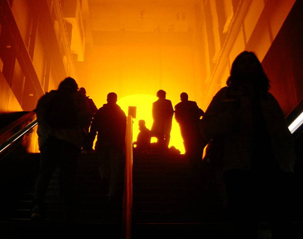
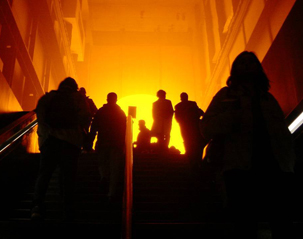
Olafur Eliasson, Weather Project. Photo by Jean-Francois Hauwaert

I fully acknowledge and embrace the exciting shift that has been occurring in art museums, arts organizations, and American culture in general toward a more do-it-yourself, interactive, user-generated, participatory experience. Yet outside of experimental cases and one-time projects, I often struggle to weave this approach into my daily professional practice and hence into the daily experience for museum visitors (which in my case is mostly school children, visiting with their teachers who have set expectations about what they will see and learn).  And I blame forward-thinking educators like Nina Simon (among others) as well as a whole range of contemporary artists for motivating me to want this level of visitor engagement and participation in the first place (thank you Nina et al.).

So how do we “walk the walk” when it comes to truly engaging visitors and students in creative, participatory, learner-centered experiences in the art museum?

For me, it’s always about taking risks and experimenting bit-by-bit, program-by-program, teacher-by-teacher, and even docent-by-docent as we sharpen our focus on creating a “better” experience with art that connects to people and their lives.  And for this post, I want to hone in on one recent docent training class at the Saint Louis Art Museum — a micro-study of an attempt to weave a hint of participatory practice into the fabric of the art museum, and make it more about “doing” and not just about “viewing.” Is this truly participatory engagement?  To what extent is this something museums have always done?  Not sure. I’d actually rather invite your thoughts and comments, since I think it’s best to open up a dialogue and push these ideas forward.  Please offer your challenges and responses below, and give me something to think about as I create new experiences.

As a field, I think we’re definitely in the process of defining what we mean by terms like “active participation” and “participatory engagement.”  In what contexts can these types of experiences occur, at what level of engagement, for what audiences, and when?  I know my example below does not compare to something on the scale of a contemporary art installation that has children placing thousands of stickers on the gallery walls or the careful planning of in-gallery interpretation like this project on view now at the Skirball Cultural Center, but it connects more to my own daily professional practice with school audiences and docents.

Exploring Van Gogh & Color … in a Participatory Way?

Working within a docent curriculum at a large public art museum, there is still a strong focus on art historical information, as you would imagine.  Within docent training programs at art museums across the country, about 40-50% of the content is purely art historical and about 30-40% of docents’ time is spent listening to lectures about that content (that is based on some data that Stephanie Parrish [Portland Art Museum] and I collected last year from about 100 art museums).  So when beginning to prepare my docent class on the Impressionism and Post-Impressionism collection area, there is always an initial tendency to pull together that PowerPoint slideshow or pick up the phone to call the curator.

But not this time.  I wanted to explore at least one strategy that would get us beyond a purely receptive experience with these artworks, and work toward something that the recent Irvine Foundation report might call “inventive engagement” on the spectrum of creative participatory experiences.  I feel strongly about museum experiences tapping into the “creative” side of learning, and one of the CORE elements of museum learning for my department at the Saint Louis Art Museum is “engaging in creative ways.”  For docents, this creative element of learning is generally not studio-based but rather gallery-based.

So here is how we connected with the idea of color in the painting “Factories at Clichy” (1887) by Vincent Van Gogh:
Looking and Learning:  We started out like many of my experiences with docents begins, with a process of looking and conversation (a la Rika Burnham and Elliott Kai-Kee’s process of “guided interpretation”). For about 20 minutes, we examined Van Gogh’s painting as a group, interconnecting comments, observations, and thoughts with information about Van Gogh and the social, industrial, urban, and suburban context of Paris brought into the conversation when it would support or respond to someone’s ideas.

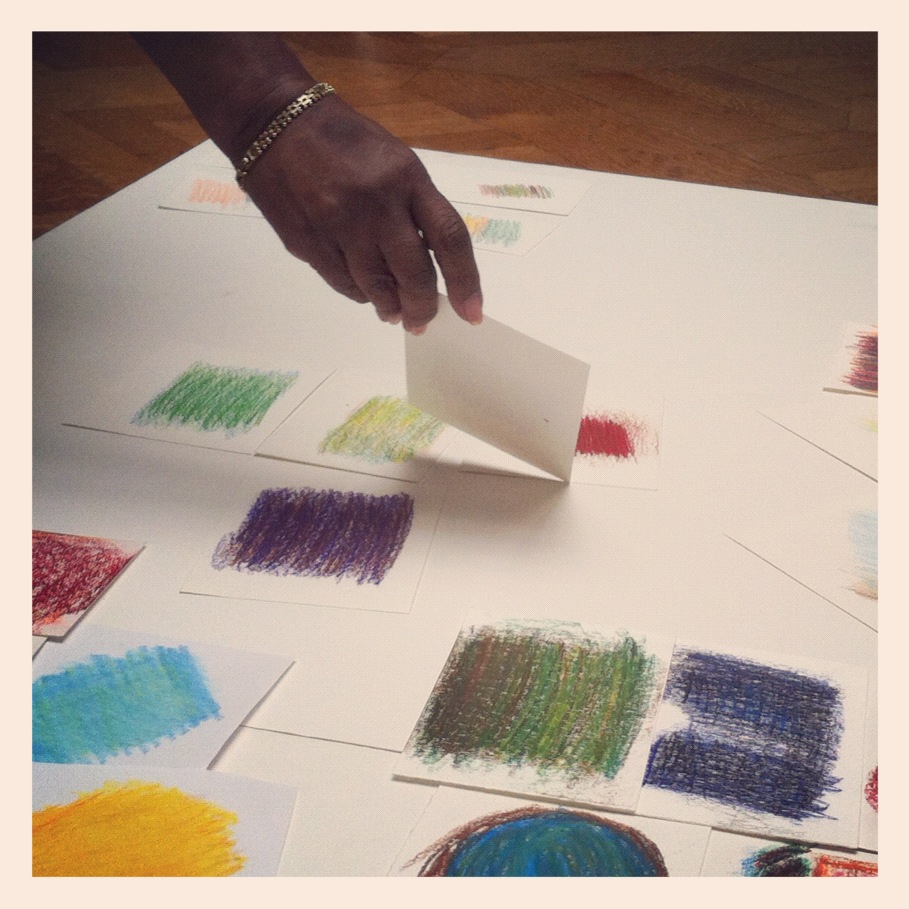
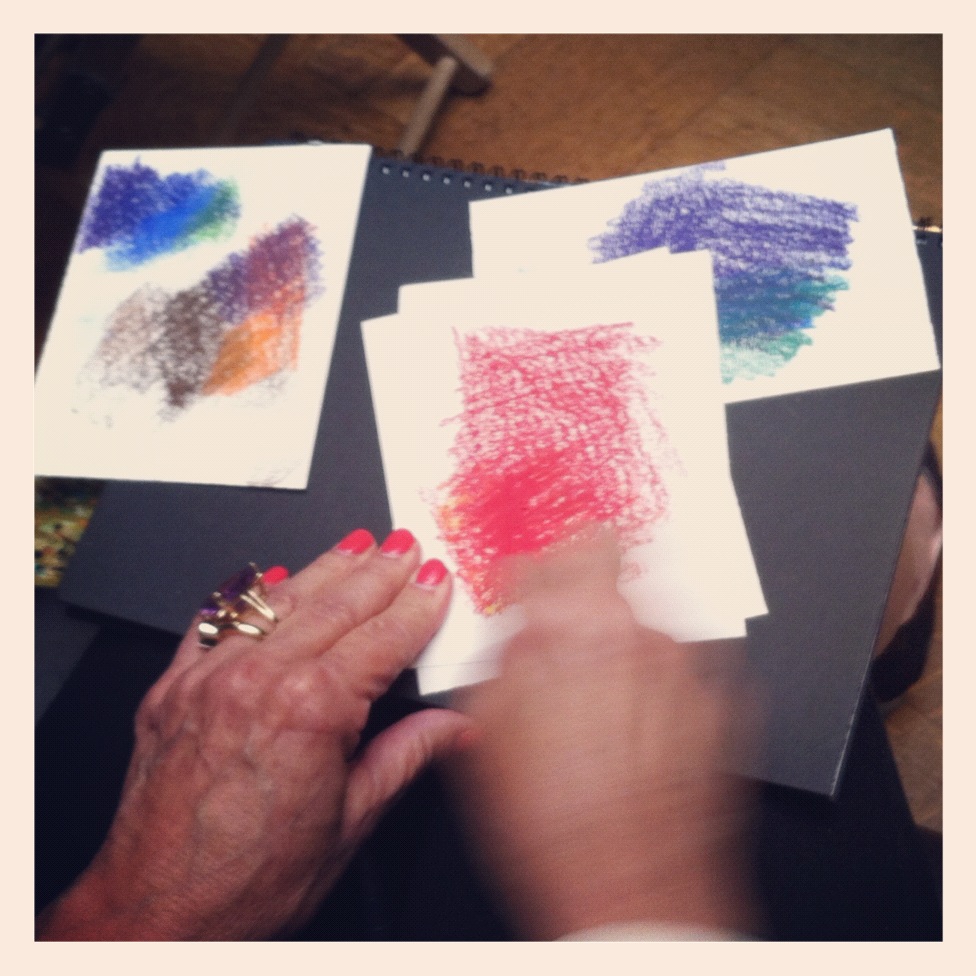
Playing with Color: Next, I asked docents to pair-up, and each pair was provided with a hi-resolution detail photograph of the Van Gogh painting in addition to eight small squares of drawing paper and a set of woodless colored pencils or Art Stix.  Their task was to explore their detail, identify four colors, and then try their hand at creating a color study for each.  My overarching goal here was to allow everyone to play with color — what is it like to layer colors, place them next to each other, use pure color, use thick lines, rub the side of the pencil, etc.  There were very few rules placed upon this exercise, which was intended to support free exploration of color and a fresh examination of Van Gogh’s use of color (which is nearly jewel-like in this particularly-stunning painting … yes, I happen to love this work).

Creating a Color Map: After each docent completed their color studies, they were invited into the next gallery to place them on a large blank “canvas” of white posterboard.  At first, my thoughts were that they would place them on the area that corresponded to the location of their detail — but everyone quickly realized that there was more to it than just tossing down your colored squares.  We began to think, “where do my colors belong? next to which other colors?” and a whole new expressive piece began to take shape.  As more and more color studies were added, the decision-making process became more difficult for participants.  Towards the end, a few individuals hovered over the large grid of color, carefully surveying for the exact place where their own new creations belonged.  After the last colored square was added to the whole, we all stood back and noticed that we had created something entirely new:

Reflection/Discussion: We ended with a brief reflection about the process, the final result, and some of the things we may have learned from the experience.  Many noticed the collaborative and collective result that began with an individual exploration of color from Van Gogh’s painting. A few mentioned their own insights about the subjectivity of color — we all had our own unique responses to the colors in the painting, and that became very evident when they were assembled at the end.  A few participants also reflected on their own process of making the color studies, and especially the challenge of placing them among everyone else’s colors at the end.  While we did reference Van Gogh, I felt that our reflection focused much more on our new creation and the related process.  I ended with a thought from artist Olafur Eliasson, someone well-versed in participatory experiences and art.  Here is the exact quote:

“… color doesn’t exist in itself but only when looked at. The unique fact that color only materializes when light bounces off a surface onto our retinas shows us that the analysis of colors is, in fact, about the ability to analyze ourselves.” (Olafur Eliasson, “Some Ideas About Color”)

Is this truly participatory practice?

The central question I am exploring here is whether this “color map” exercise actually gets us past a receptive, interpretative engagement with art and more towards a creative participatory engagement.  The authors of the Irvine Foundation report define the starting point for participatory practice as beginning when audience members become an “expressive participant in the making of the artistic experience.”  So not just activating the creative mind, but also involving creative expression on the part of the participants.  Check.

I also think that a key element of participatory practice to to cede control to the group in a productive way.  While there are activities that can allow participants to create something, I feel that they need the freedom to organize and remake as they go along (this can be a bit scary for us educators).  When the docents were laying down their color studies on the larger white surface, they began to take creative control over the project (some more than others), which was something I distinctly noticed.  As we all know, being creative is not simply following directions or coloring within the lines, but pushing in new directions and unpredictable pathways.  If we had more time in the galleries, I have no doubt we could have remixed and rethought our color map.  After leaving the museum, in fact, several docents did send me their ideas for adapting and expanding the activity in exciting ways for school tours and programs in the future.

To me, engaging in more and more of these participatory experiences is essential to the work that we do.  Some museums are really blazing the trail for us, which is exciting.  In addition to public programming and exhibition design, it’s also important to consider these practices with our work in docent education and professional training as well as our interactions with K-12 school groups (which make up such a large segment of the museum audience, and the most democratic, diverse, and  inclusive picture of museum use that we have, as Eilean Hooper-Greenhill states).  Bit-by-bit, docent-by-docent, and teacher-by-teacher, we can continue to work toward museum experiences that engage the collaborative, co-creative, open source mindset that is present in our communities as well as the next generation of visitors.

What participatory experiences have you developed at your museum?  What are some challenges you face in creating these experiences for K-12 audiences as well as general museum visitors?